Use CSS in Blockly
1. Codelab overview
What you'll learn
In this codelab you will learn how to use CSS to customize the colours of:
- Components
- Categories
- Blocks
If you don't need the fine-grained control provided by CSS, consider using themes instead. For more information, see the Customizing your themes codelab.
What you'll build
A simple Blockly workspace that uses the same Halloween colours as the Customizing your themes codelab.
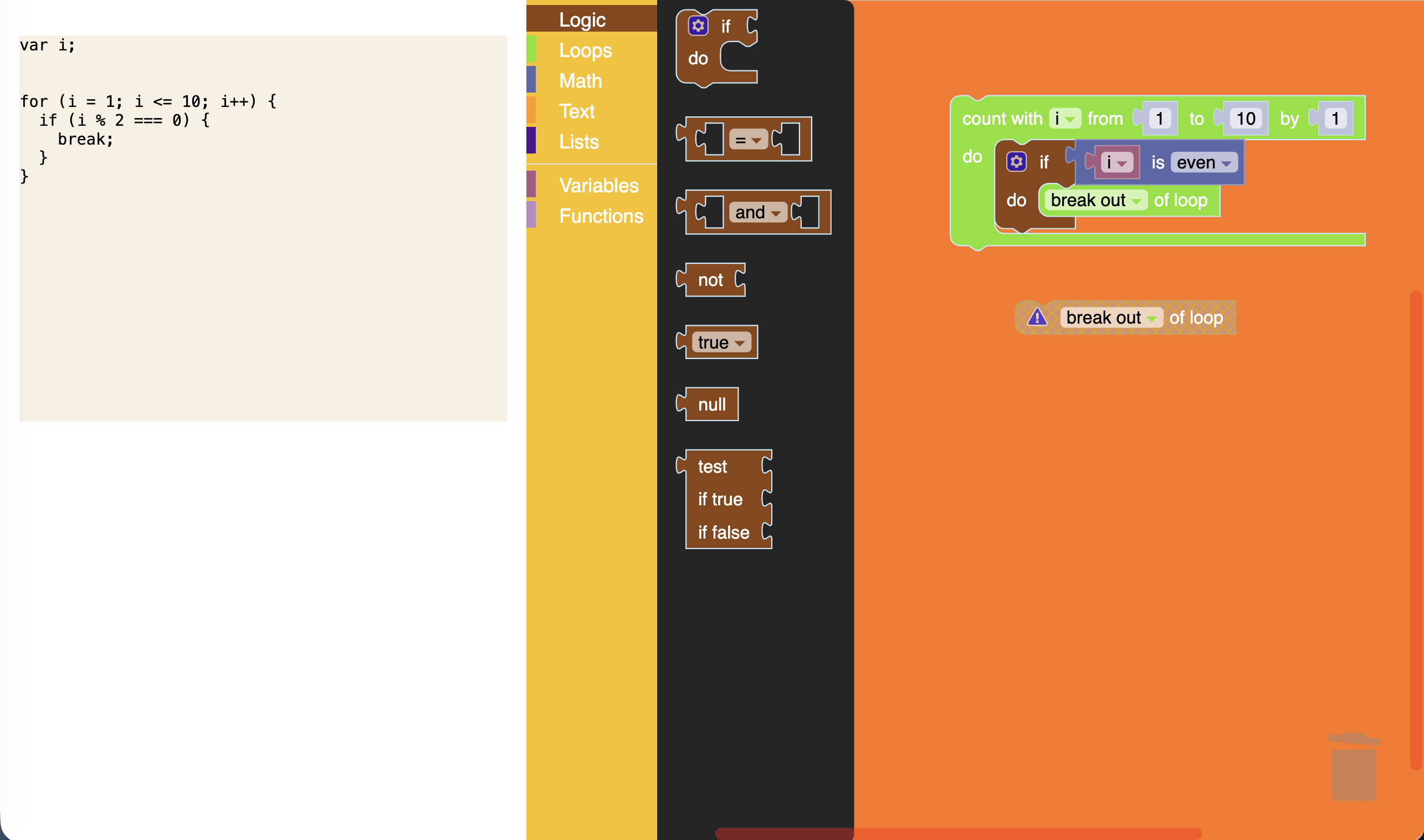
You can find the code for the completed CSS codelab on GitHub.
What you'll need
- A browser.
- A text editor.
- Basic knowledge of HTML, CSS, SVG, and JavaScript.
- Basic knowledge of your browser's developer tools.
- node.js and npm installed (instructions).
- Comfort using the command line/terminal.
- Basic understanding of Blockly, including workspace components, category toolboxes, block definitions, and themes.
This codelab is focused on using CSS with Blockly. Non-relevant concepts are glossed over and provided for you to simply copy and paste.