Customizing a Blockly toolbox
3. Make a custom category
Define and register a custom category
To start, create a file named custom_category.js in the src directory.
In order to create a custom category, you will create a new category that extends
the default Blockly.ToolboxCategory class. Add a Blockly import and class definition to your custom_category.js file:
import * as Blockly from 'blockly';

class CustomCategory extends Blockly.ToolboxCategory {
  // You'll add functions to this class in the next step

}
After defining your category you need to tell Blockly that it exists.
Create a function to register your category by adding the below code to the end of custom_category.js:
export function registerCustomCategory() {
  Blockly.registry.register(
    Blockly.registry.Type.TOOLBOX_ITEM,
    Blockly.ToolboxCategory.registrationName,
    CustomCategory,
    true,
  );
}
Finally, you'll need to import the registration function in index.js.
To register the custom category, call the registerCustomCategory() function in index.js, just after registering the blocks and generator:
import { registerCustomCategory } from './custom_category.js';

// Register the blocks and generator with Blockly
Blockly.common.defineBlocks(blocks);
Object.assign(javascriptGenerator.forBlock, forBlock);

// Register the custom category
registerCustomCategory();
By registering our CustomCategory with Blockly.ToolboxCategory.registrationName
we are overriding the default category in Blockly. Because we are overriding a
toolbox item instead of adding a new one, we must pass in true as the last
argument. If this flag is false, Blockly.registry.register will throw
an error because we are overriding an existing class.
The result
To test, save your files, then find the browser page that has the sample app. You may also need to refresh the page. Your toolbox should look the same as it did before.
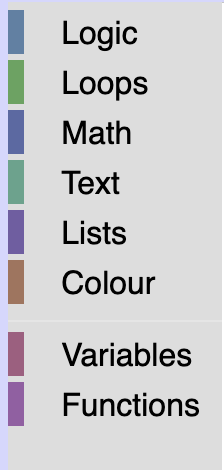
However, if you run the below commands in your console you will see that
your toolbox is now using the CustomCategory class.
var toolbox = Blockly.common.getMainWorkspace().getToolbox();
toolbox.getToolboxItems()[0];
Although nothing has visually changed yet, this codelab will use the CustomCategory class
to change the appearance of the categories.