Getting started with Blockly
9. Run generated code
Executing generated code is always the responsibility of the application. Blockly turns blocks into code, and what you do with that code is up to you.
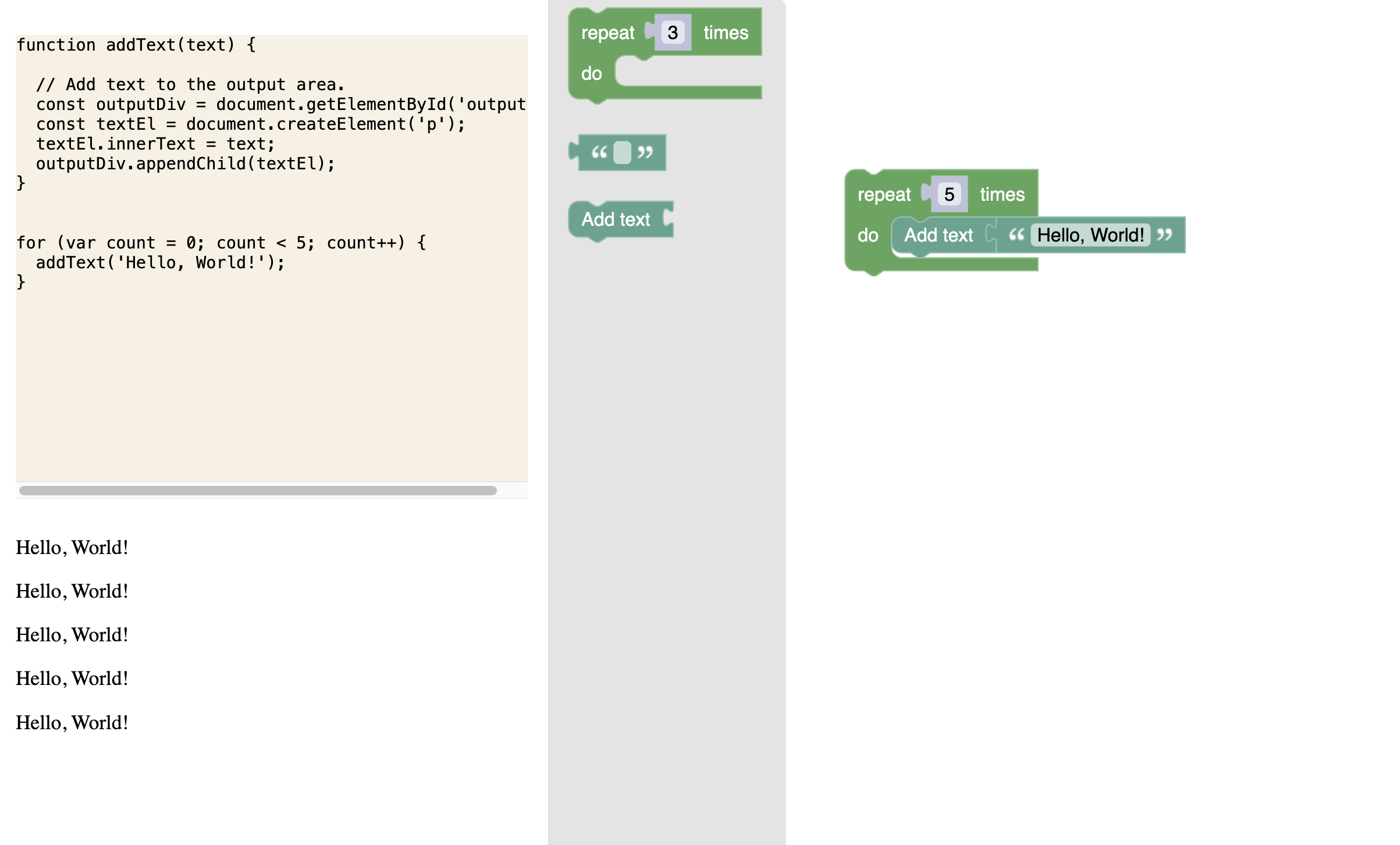
For this codelab, you'll display the generated code and use eval to run it. Then you'll show the output beneath the code.
Set up the code execution
The runCode function uses Blockly's javascriptGenerator to generate the code for the blocks on the workspace.
Then it displays the code in the codeDiv, resets the outputDiv, and evaluates the JavaScript code.
Paste the following code into index.js, right below your Blockly injection:
// This function resets the code and output divs, shows the
// generated code from the workspace, and evals the code.
// In a real application, you probably shouldn't use `eval`.
const runCode = () => {
  const code = javascriptGenerator.workspaceToCode(ws);
  codeDiv.innerText = code;

  outputDiv.innerHTML = '';

  // Wrap `eval` in a `try/catch` so that any runtime errors are
  // logged to the console, instead of failing quietly.
  try {
    eval(code);
  } catch (error) {
    console.log(error);
  }
};
Run the code
Now, we need to actually call this runCode function.
First, consider the scenario when your app is first loading up. After loading in the saved data, you'll also run the code automatically.
Add a call to runCode just after your call to load.
Now your index.js file should have:
// Load the initial state from storage and run the code.
load(ws);
runCode();
Since this code is simply declared in the index.js file and isn't a part of any function, it'll only run whenever the workspace is loaded (or reloaded).
You also want the code to run any time a block is added or changed in the workspace. This sounds like another job for change listeners.
Add a change listener
Similar to the last change listener, you'll want to exclude certain types of events. This time, in addition to ignoring UI Events, we'll ignore the event that fires when the workspace has finished loading, since this would be redundant with the code we just added.
We'll also disregard anything that fires when a block is currently being dragged, so that we don't save an invalid state.
For all other events, this change listener will call runCode().
Copy and paste the following code at the bottom of index.js:
// Whenever the workspace changes meaningfully, run the code again.
ws.addChangeListener((e) => {
  // Don't run the code when the workspace finishes loading; we're
  // already running it once when the application starts.
  // Don't run the code during drags; we might have invalid state.
  if (
    e.isUiEvent ||
    e.type == Blockly.Events.FINISHED_LOADING ||
    ws.isDragging()
  ) {
    return;
  }
  runCode();
});
A note on eval
Executing scripts with eval is not always the safest option - we use it here for simplicity. If you intend to run the user's blocks in production, check out the JS Interpreter project. This project is separate from Blockly, but was specifically written for Blockly.
Test it
Run the app and try it out! Try making a simple program by putting the add text block, with a text input, into a loop.