Block validation and warnings
3. Create a block to validate
Before we can add any validation, we need a custom block to validate. In this section you'll create a list_range block that generates a list of numbers counting up within a range, make it available in the toolbox, and define how it generates JavaScript code. The following sections will then build validation on top of it.
Define a custom block type
Let's define a new custom block type named list_range with two number fields called FIRST and LAST. Open src/blocks/text.js. It already defines an add_text block; add the following listRange definition below it:
// A custom block that generates a list of numbers counting up from FIRST to
// LAST. We'll add validation to it over the course of this codelab.
const listRange = {
  type: 'list_range',
  message0: 'create list of numbers from %1 up to %2',
  args0: [
    {
      type: 'field_number',
      name: 'FIRST',
      value: 0,
    },
    {
      type: 'field_number',
      name: 'LAST',
      value: 5,
    },
  ],
  output: 'Array',
  style: 'list_blocks',
};
Then include the new block in the array passed to createBlockDefinitionsFromJsonArray at the bottom of the file, so that its definition is created alongside add_text:
export const blocks = Blockly.common.createBlockDefinitionsFromJsonArray([
  addText,
  listRange,
]);
Next, to make this block available from the toolbox, open src/toolbox.js, find the Lists category, and insert this code at the beginning of that category's contents, right before the lists_create_with block:
        {
          kind: 'block',
          type: 'list_range',
        },
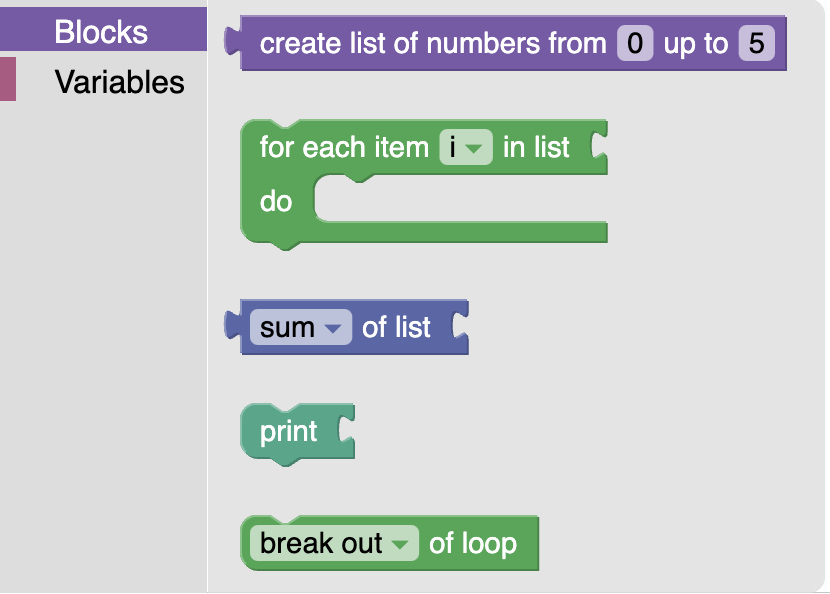
Now, if you refresh the running page (or run npm start) and open the Lists category in the toolbox, you should see the new block at the top:
Generating JavaScript code for the custom block
You can drag this block out from the toolbox into the workspace, but if you try to use it, you'll find that Blockly doesn't know how to generate JavaScript code from this block yet, and error messages will appear in the browser console when it tries to update the display of the generated code. To fix this, open src/generators/javascript.js and add the following generator below the existing add_text generator:
forBlock['list_range'] = function (block, generator) {
  const first = block.getFieldValue('FIRST');
  const last = block.getFieldValue('LAST');
  const numbers = [];
  for (let i = first; i <= last; i++) {
    numbers.push(i);
  }
  const code = '[' + numbers.join(', ') + ']';
  return [code, Order.NONE];
};
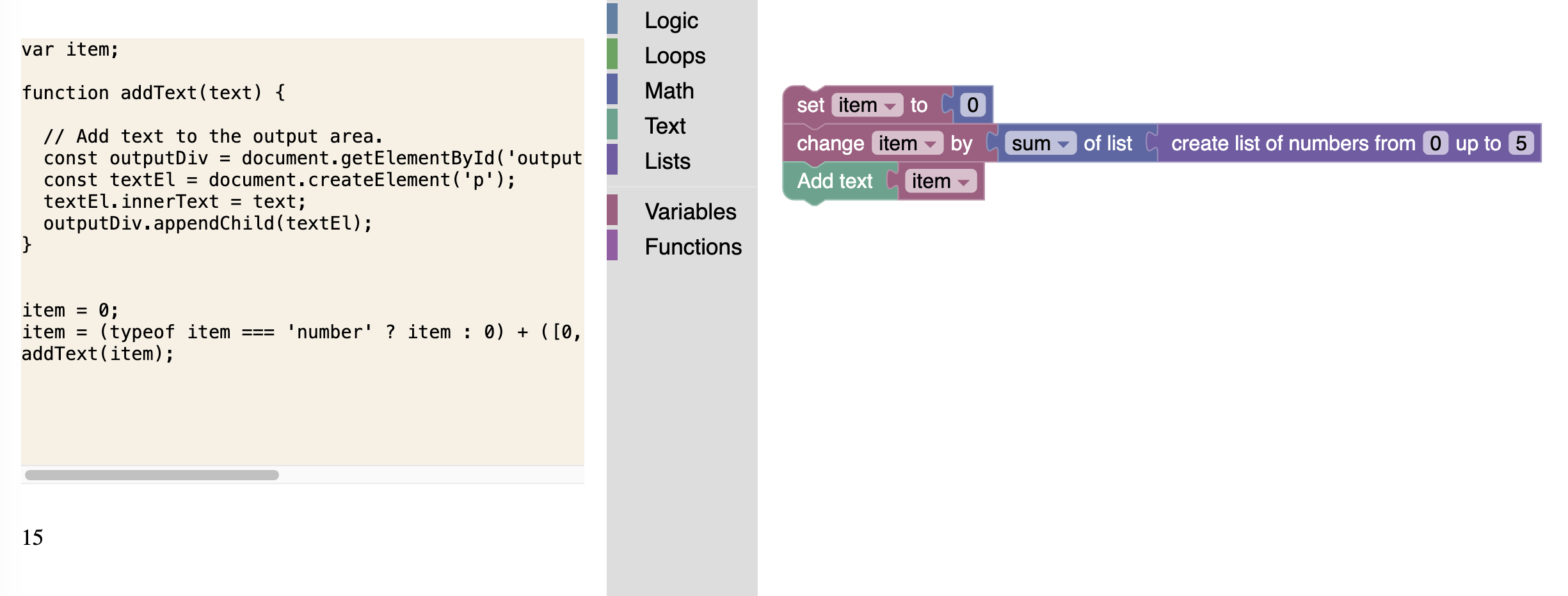
Refresh the running page once again and try adding the new block to the workspace. You should be able to see it successfully generate JavaScript code this time. Try combining it with other blocks to see what the code might look like, and watch the generated code and output update automatically as you edit the workspace:
Now we are ready to start adding validation!